Your first win in this game!
 New personal best!
 First to solve this deal!
 New record for this deal!







Play FreeCell Solitaire Online for Free
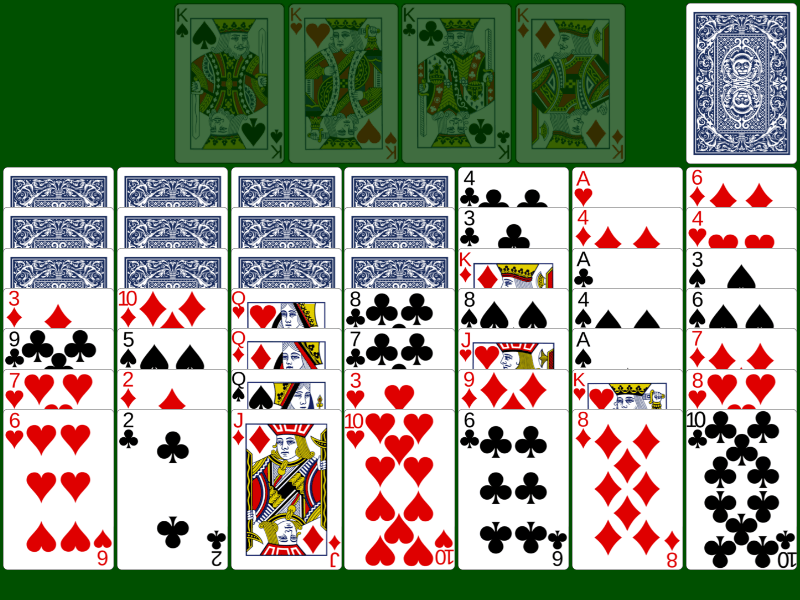
FreeCell Solitaire deals all 52 cards face up, so you can see every card from the first move. Four free cells let you put cards aside while you sort the columns. There is almost no luck: nearly every deal can be won if you plan well. You can play it here for free, online, with no download and no sign-up, and in full screen if you like.
How to play FreeCell Solitaire
Goal
Move all 52 cards to the four foundations. Each foundation holds one suit, built up from Ace to King.
The deal
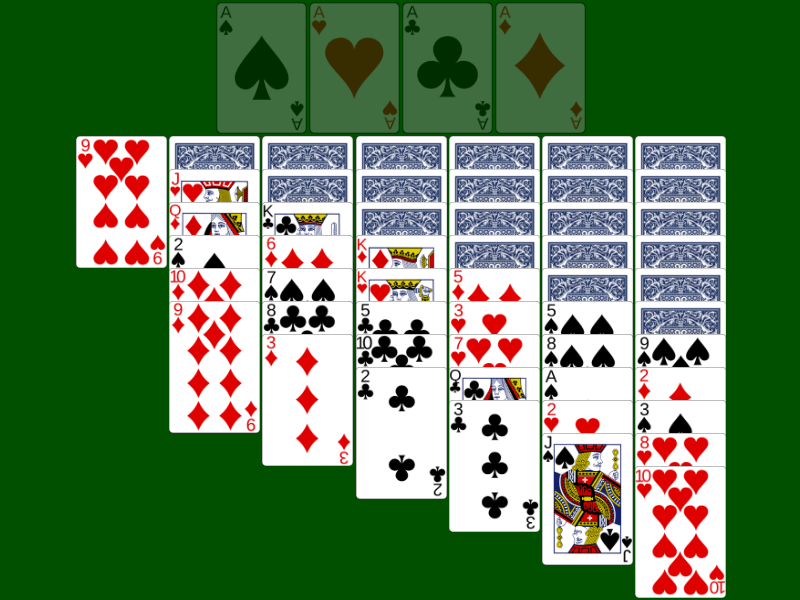
- Tableau: 8 columns, all face up. The first four columns get 7 cards each and the other four get 6 cards each.
- Free cells: four empty places at the top. Each one holds a single card.
- Foundations: four empty places, one for each suit.
There is no stock. Every card is in play from the start.
Rules
- Building down: in the tableau, put a card on a card one rank higher and of the other colour. A red 6 goes on a black 7.
- Free cells: any card from the bottom of a column can go into an empty free cell. From there it can go back to the tableau or to a foundation.
- Empty columns: any card can go into an empty column.
- Foundations: start each foundation with an Ace, then add 2, 3 and so on up to King, in the same suit. Aces go up by themselves.
- Moving several cards: you can move a group that is in order, down and in alternating colours. How many cards depends on your free space: take the number of empty free cells plus one, and multiply it by the number of empty columns plus one. With 2 empty free cells and 1 empty column you can move (2 + 1) × (1 + 1) = 6 cards. If you are moving the group into an empty column, that column doesn't count.
Tips to win more often
- Look before you move. Every card is visible, so the whole game is in front of you. Find where the Aces and 2s are and plan how to free them.
- Keep free cells empty. Each card in a free cell lowers the number of cards you can move at once. Use them for a short time, then empty them again.
- An empty column is worth more than a free cell. It can hold a whole ordered group, not just one card. Try to empty one column early.
- Free the low cards first. Aces and 2s buried under many cards slow you down the most. Work on the column that hides them.
- Don't fill free cells with high cards. A King in a free cell can only leave to an empty column or to a full foundation, so it may stay there a long time.
- Use undo to test ideas. There is no limit on undo. FreeCell rewards trying a line of moves and going back if it doesn't work.
Frequently asked questions
Is FreeCell Solitaire free?
Yes. Every game on Solitaire Land is free to play in your browser, on a computer, tablet or phone. There is nothing to download and you don't need an account.
Can I play in full screen?
Yes. Use the full screen button in the bar above the game. You can also make the cards bigger or smaller with the zoom slider in the bar below the game.
What does the Hint button do?
It shows you one move you can make right now. It doesn't play the game for you, so you still choose what to do next.
Can every FreeCell deal be won?
Almost. Studies of millions of deals estimate that about 99.999% of them can be won. The best known exception is deal 11982 from the Windows version. The numbers section further down shows how many of our deals players have won so far.
Why can't I move the whole group?
The group is bigger than your free space allows. Empty a free cell or a column and try again. The rule is explained under Moving several cards above.
What are the daily challenge and the levels?
Every day there is one daily challenge deal, the same for everybody. A calendar shows which ones you have finished. Levels go from 1 to 100 and get harder as you go up. Each level is a deal chosen from games played here. Winnable deals are deals that at least one player has already won. You can find all three in the New game menu.
Where FreeCell comes from
FreeCell grew out of an older game, Baker's Game, which Martin Gardner described in Scientific American in 1968. In Baker's Game you build by suit. Paul Alfille changed it to alternating colours and wrote the first computer version in 1978 on the PLATO system at the University of Illinois. Microsoft has included FreeCell in Windows since 1995, and that is how most people met it. If you like FreeCell, try Klondike Solitaire 1 Card, the classic solitaire, or Yukon Solitaire, where you can move any face-up card with the cards on top of it.